AltarPage Studio for Mac and Windows
The studio for live worship and prayer.
Plug in your mixing desk and go live with one button. Members listen, pray and give on any phone.
Free · Needs an AltarPage account · macOS 11+ · Windows 10 and 11
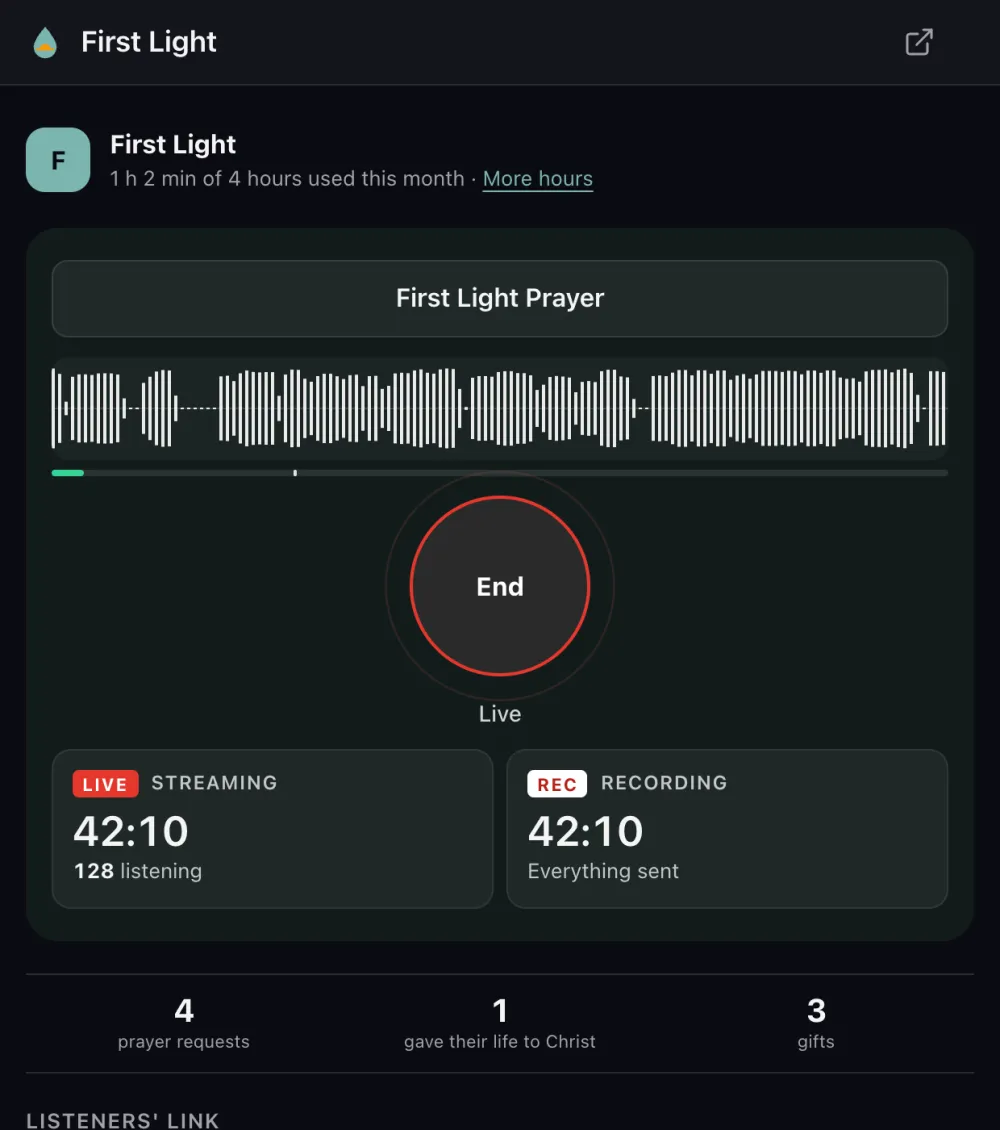
Built for the media desk
Streaming and recording, side by side
A live timer and listeners on one side, the recording on the other. Every broadcast becomes a replay.
Any desk, any input
Choose your USB audio interface and speech or worship-music quality. Watch the waveform; it warns before the sound distorts.
Never loses a minute
If the internet drops, audio waits on the laptop and goes out in order when it's back, even after a restart.
See who's responding
Prayer requests, new believers and gifts arrive on screen while you're live.
Keeps going in the background
Minimise it and switch to your slides. The computer stays awake, and you can end from the menu bar or the system tray.
No computer to spare? The studio also works in Chrome, Edge or Safari (Broadcasts → Go live), and in the AltarPage app on a phone. Moving from Mixlr? Here's how.
Watch: broadcast from your mixing desk
4 minutes, filmed in the real studio. Jump to any part.
More on our tutorials page and on YouTube.